
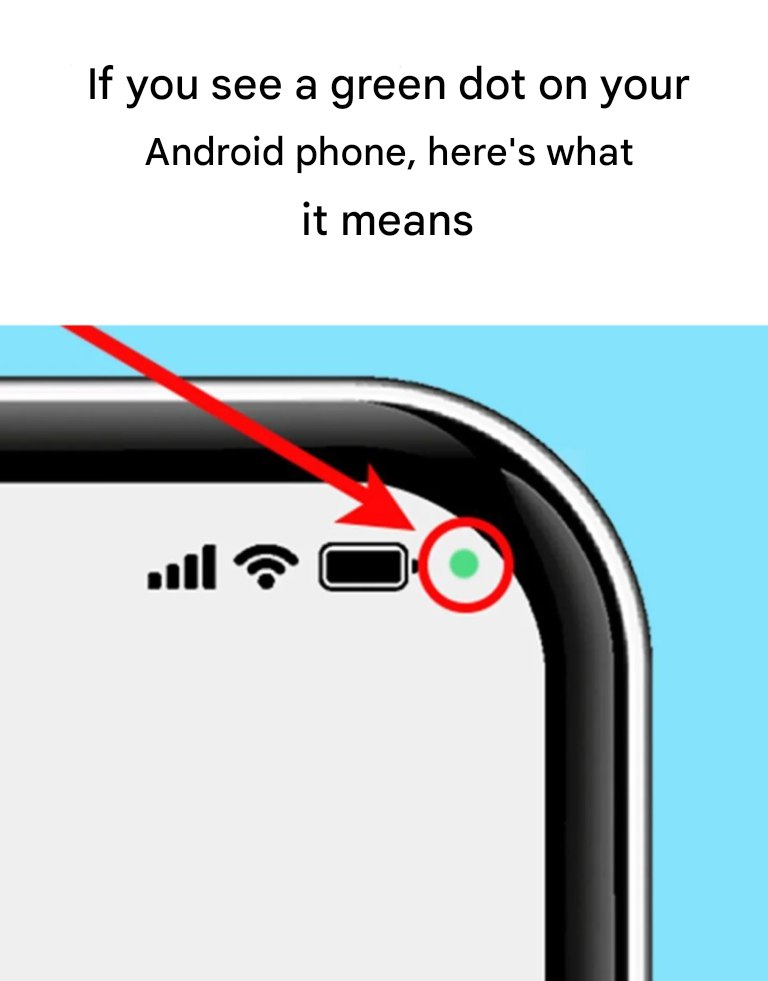
Understanding the Green Dot on Your Android Device
For many users, the green dot appearing in the upper right corner of their Android phones can evoke questions and confusion. This seemingly innocuous icon actually holds significant importance regarding your device’s privacy settings and usage. In a world where digital privacy is of utmost concern, it is essential for users to understand what this icon signifies, especially given its resemblance to other notifications on smartphones. The green dot serves not only as a visual alert but as a crucial reminder of the ongoing interaction between your device’s software and its hardware components.
What Does the Green Dot Represent?
The green dot is an alert system designed by manufacturers like Samsung to indicate active usage of your device’s camera or microphone. Unlike Apple’s iPhones, which utilize both green and orange dots to differentiate between camera and microphone use, Android simplifies this with a singular green dot. When you pop open an app that requires either the camera or microphone, this alert appears, serving as a reminder that your device is actively engaging in audio or visual capture. The prevalence of such icons highlights the growing emphasis on user awareness regarding app functionalities, particularly as our devices become increasingly intertwined with our daily lives.
Why Is This Notification Important?
Samsung has implemented this feature primarily to enhance users’ awareness concerning their privacy rights. In an age where data breaches and unauthorized access are prevalent, knowing when your devices are accessing sensitive features is crucial. For instance, while it can be perfectly normal to see this dot when using a video call app like Zoom or recording a voice memo through voice assistant applications, it becomes a cause for concern if the icon appears without your prior knowledge or consent. Understanding its implications empowers users to take proactive steps in managing their privacy.
How to Identify the Source of the Green Dot
If you ever find yourself questioning which app is responsible for the green dot, Samsung has made it straightforward to investigate. First, when the dot appears, it indicates either microphone or camera usage. Initially, a small icon will show which feature is currently in use. This notification will later reduce to just the green dot, nestled amongst other indicators. To uncover more details, you can easily swipe down the notification bar. Tapping the green dot or the associated notification will launch a dialog box, clearly stating whether the camera or microphone is in use and specifying the app that is responsible. This transparency is vital, as it allows users to make informed decisions about their app usage and privacy management.